Websites and feeds
Brake checks the content on screen, so you don’t have to keep adding new sites and URLs to a blocklist.
 Brake
Brake
Brake watches your screen on your own PC and locks it for as long as you chose. No blocklists to maintain, nothing uploaded, and no switching it off in a weak moment.
Download free for Windows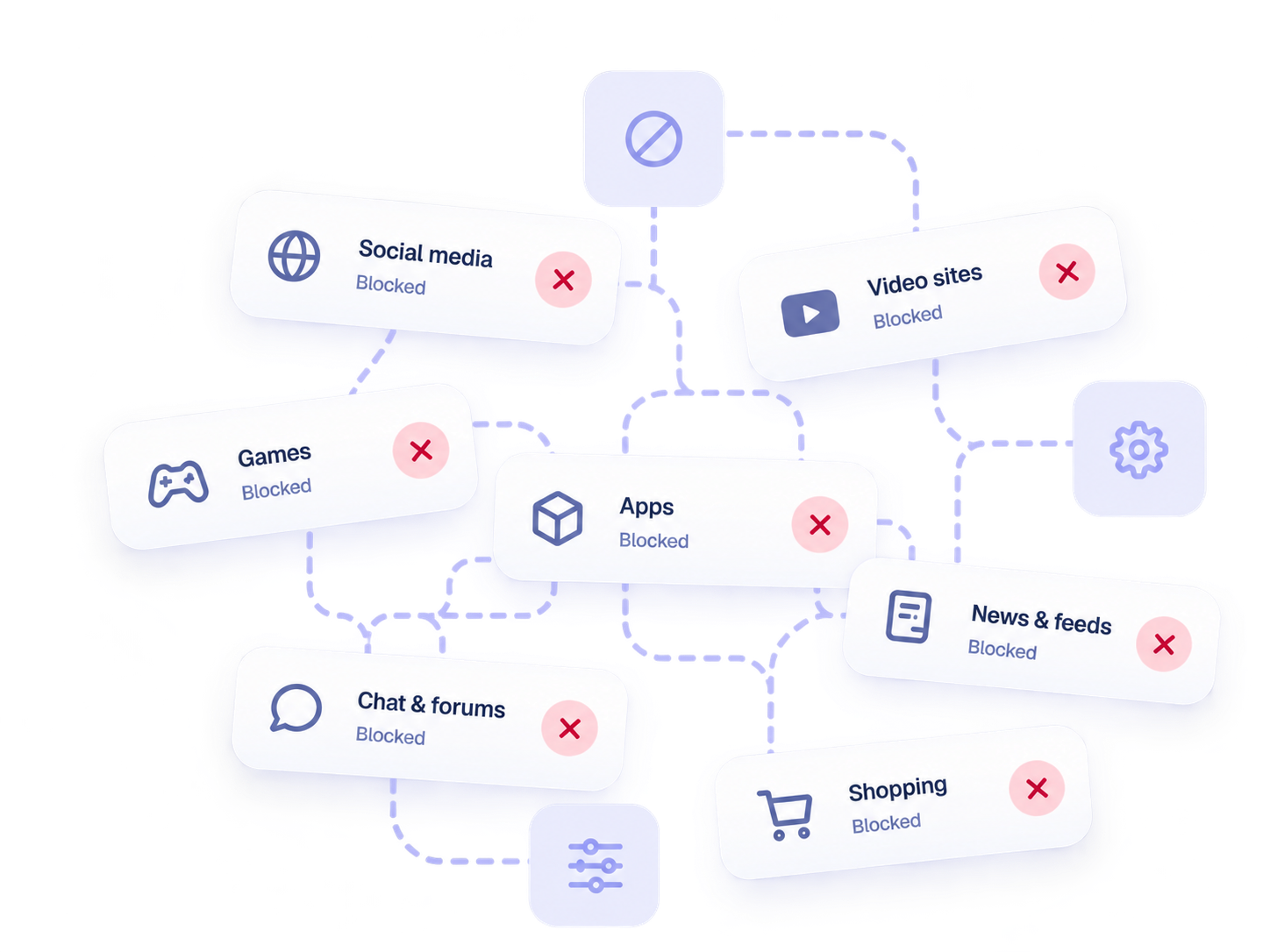
Block one site and porn can appear in an app or feed. Block the whole app and you lose what you came there to do. Before long, you’re spending more time managing restrictions than using your computer.
Brake reacts to explicit content instead of blocking the rest of your computer
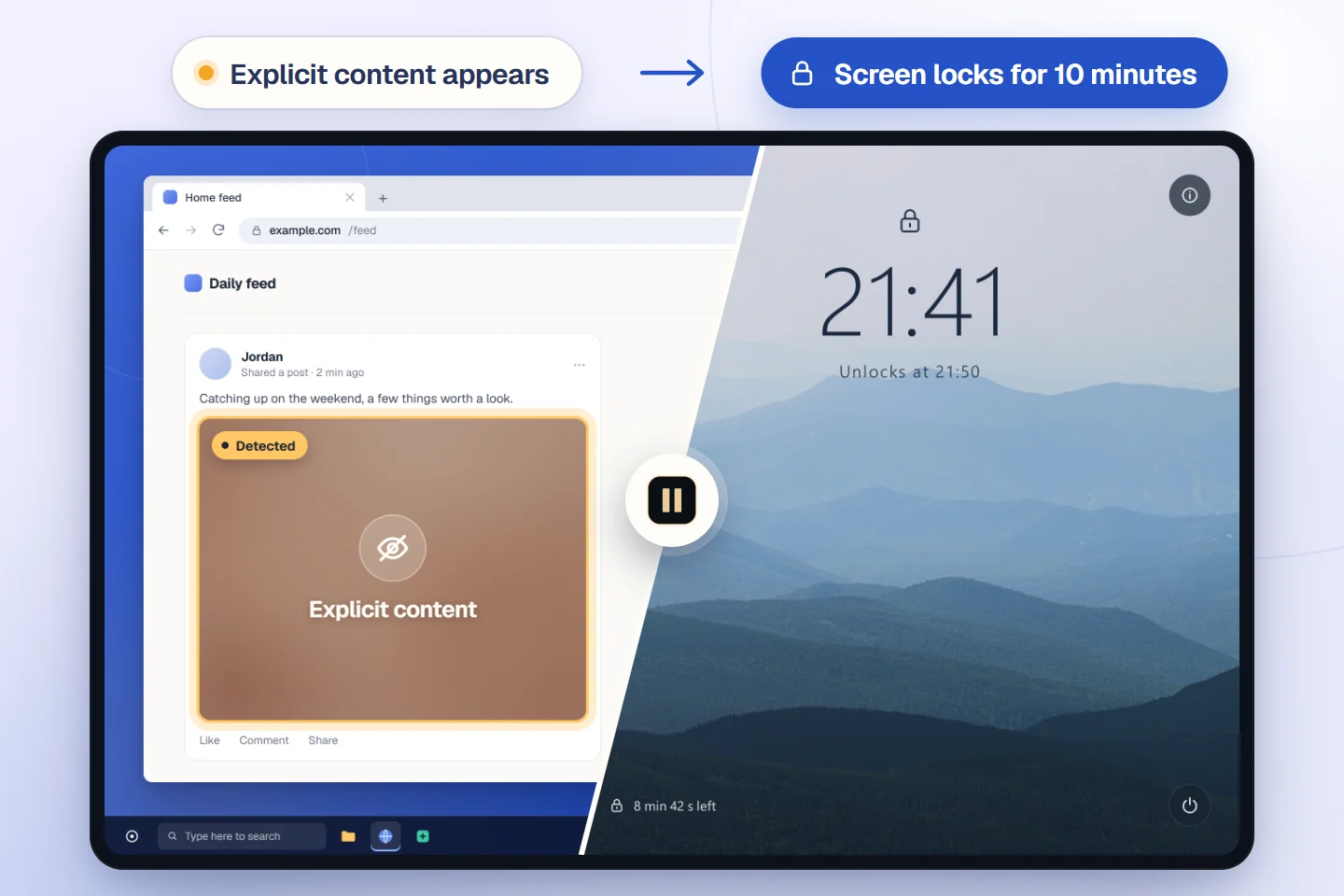
Brake checks your screen locally while your websites and apps stay available. When it detects clear explicit content, it starts the lockout you chose ahead of time, creating a break in the moment.
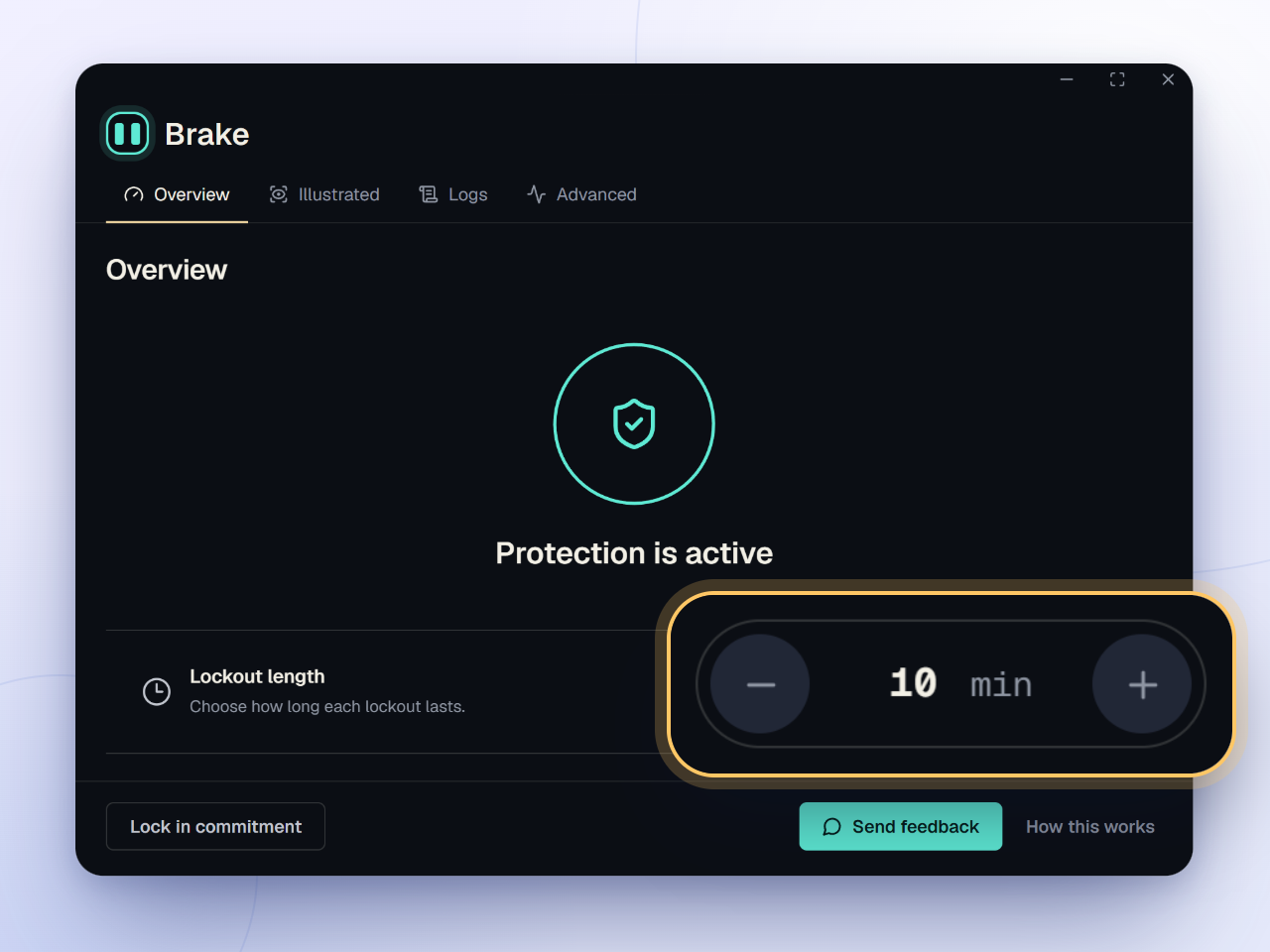
Choose how long you want the lockout to last, turn on protection, and let Brake run in the background.
Pick how long Brake should lock the screen when it detects explicit content, then turn protection on.
Keep browsing, working, gaming, or watching videos while Brake checks what appears on your screen.
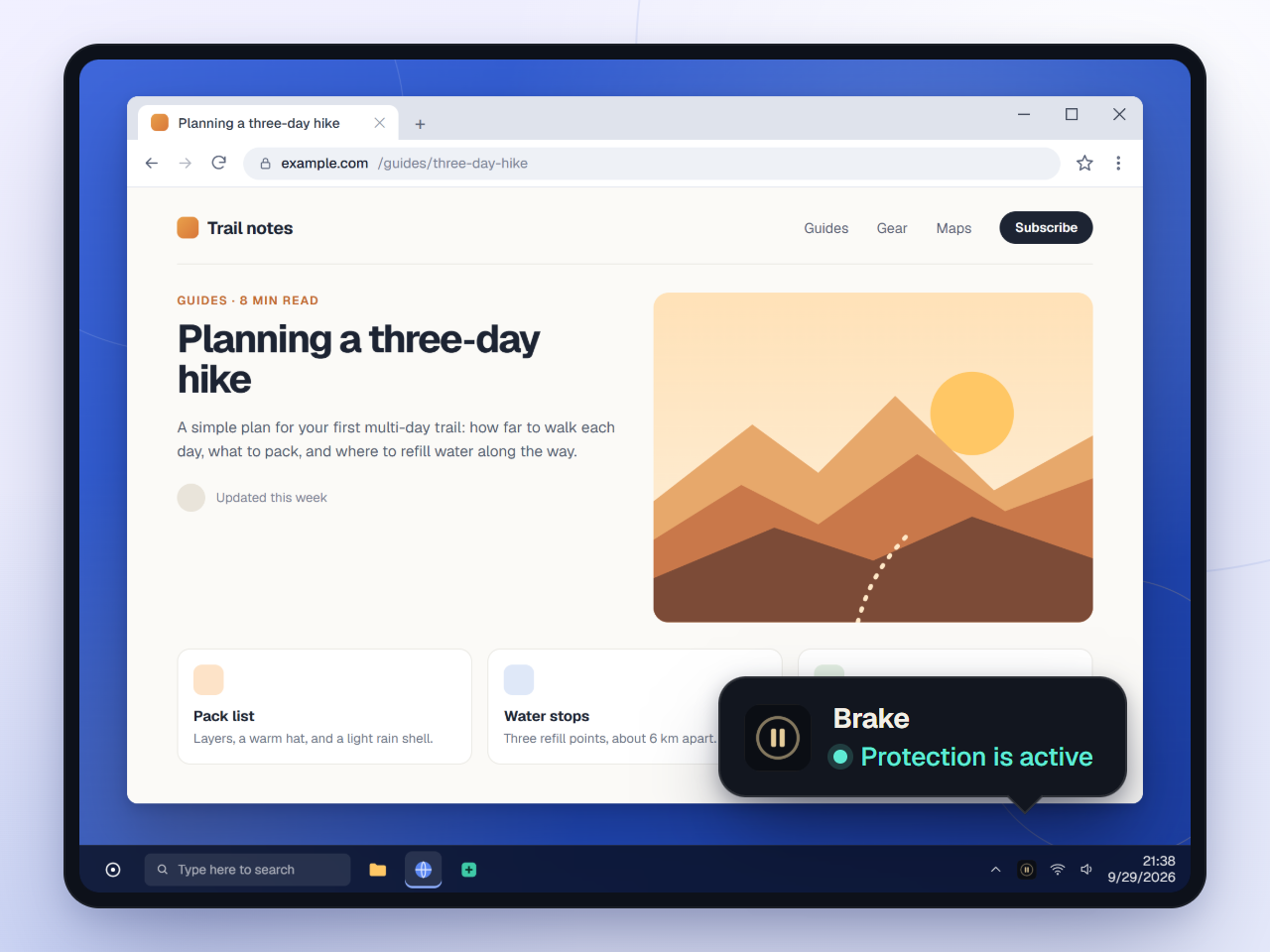
If explicit content appears, Brake locks the screen for the time you chose, giving you a chance to stop and decide what to do next.
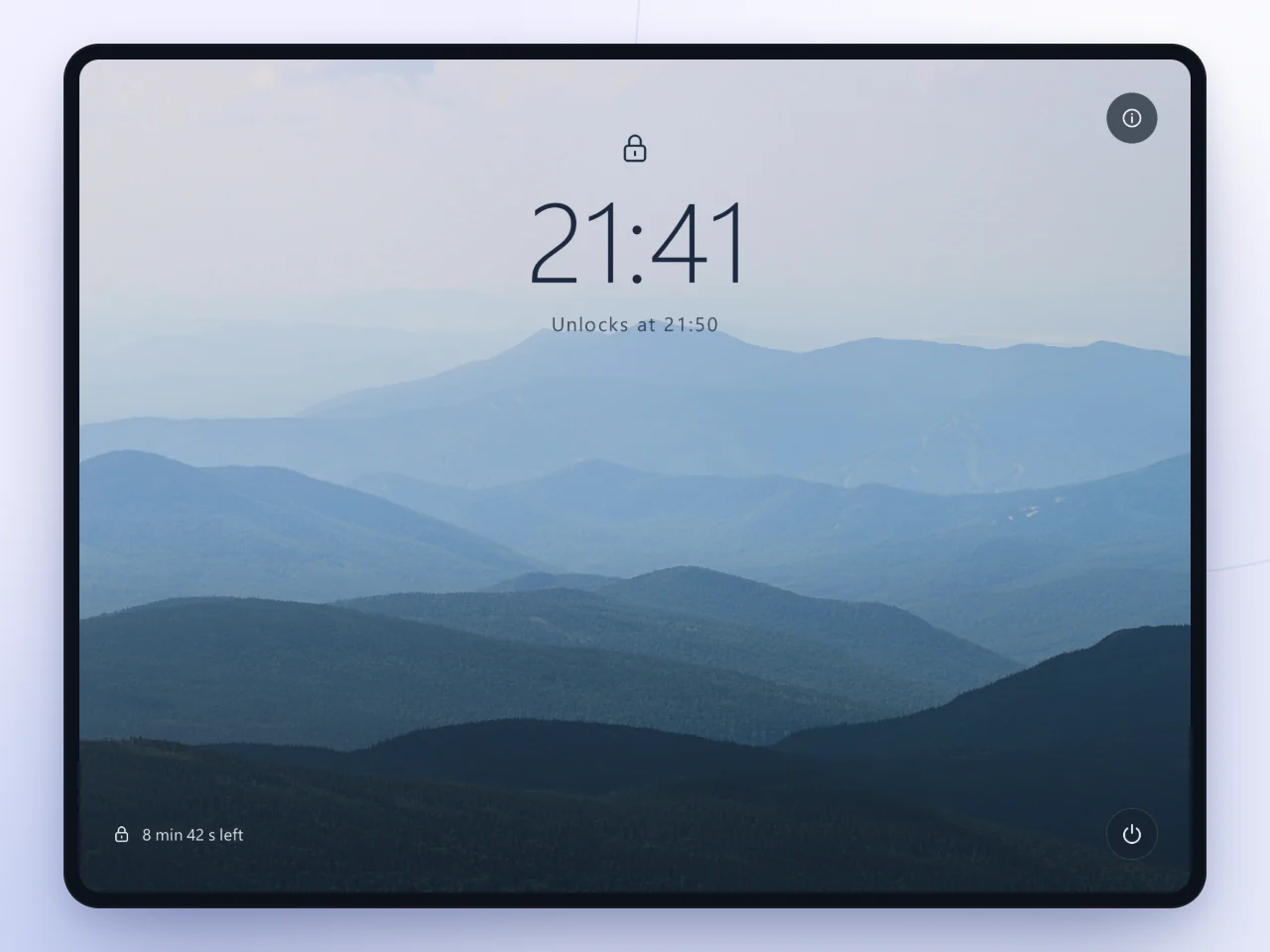
Start a commitment and your password can no longer turn Brake off until it ends. If something goes wrong, your recovery code gets you back in after a cooldown.
Because Brake checks your screen, it can respond to explicit content on websites, in apps, and in supported illustrated content.
Brake checks the content on screen, so you don’t have to keep adding new sites and URLs to a blocklist.
Brake can keep checking when you leave the browser, including supported desktop apps and full-screen content.
Illustrated and anime detection, included in Pro, can also check supported explicit drawings and animation.
There’s no account to create, and screen captures are discarded as soon as they’ve been checked.
Brake analyzes what appears on screen without sending screenshots to a cloud service.
Each screen capture is discarded after it has been checked, so Brake doesn’t build a history of what you viewed.
Install Brake and use it without signing up or syncing your data.
If you ever need to get back in, your recovery code unlocks Brake after the required cooldown.
Nothing about your screen ever leaves your PC. Brake connects only to activate Pro once and to download the illustrated model once. No telemetry.
How activation worksEvery download includes a 7-day Pro trial. No card, no account, no subscription.
$0forever
Detection on websites and apps, lockouts up to 60 minutes, and commitments up to 7 days.
$19$29launch price, one-time
Commitments up to 365 days, illustrated and anime detection, and a lockout screen you design.
$49+pay what you want
Everything in Pro, your handle on the thanks page, and direct feature requests.
Need help with setup? Read the install guide
No. Screen checks happen locally on your computer. Screenshots are discarded after scanning and are never uploaded or saved.
Brake is for Windows PCs. You don’t need developer tools or a cloud account. Follow the install guide to get started.
Brake is new and its installer isn’t code-signed yet, so Windows SmartScreen doesn’t recognize it. SmartScreen warns about installers it hasn’t seen many times before, which is common for new apps. Click “More info”, then “Run anyway”. The install guide shows each step.
Yes. Brake checks what appears on your screen rather than relying on browser rules, so it can check content from apps and full-screen surfaces.
Yes. The core of Brake is free forever, with no account needed. Every download also includes a 7-day Pro trial. If you want Pro after that, it’s an optional one-time purchase. See pricing.
Commitments up to 365 days, recovery cooldowns up to 7 days, illustrated and anime detection, a custom lockout screen with your own background, a message to yourself on the lockout screen, shutdown after lockout, and priority support.
No. Pro is a one-time payment and it never expires.
Every free download includes 7 days of Pro. The trial starts the first time you turn protection on. No card, no account, and it works offline.
Only once. Paste your key in the app while online to activate Pro. After that, it works offline.
One purchase covers up to 3 of your PCs.
Yes. You can request a refund within 14 days of purchase. See refunds.
Your key is in your Lemon Squeezy receipt email and in “My Orders” on Lemon Squeezy. Still stuck? Email hello@usebrake.app.
Yes. There’s no account and no cloud sync, and detection runs on your PC. Brake only goes online to activate Pro once and to download the illustrated model once.
Outside a commitment, your password can turn protection off. During a commitment, your password cannot end it early. Your recovery code provides an emergency path with cooldown rules.
I’ve used Brake daily for weeks without a wrong lockout, but no detector is perfect. Save your recovery code during setup so you can always get back in, and tell me if it ever happens.
Only if you turn it on. Shutdown after lockout is a Pro option. When enabled, it closes your apps, so save your work. You can change this in Advanced when you are not in a commitment.
Outside a commitment, uninstall Brake like any Windows app: Settings > Apps > Installed apps > Brake. During a commitment, uninstalling is blocked until the commitment ends, or you can use your recovery code.
A quiet pause between impulse and action